
The Social Media Score measures the strength of your business's social media presence based on key engagement and activity metrics. A higher score indicates a more active and well-maintained social presence.
How to Use the Social Media Score
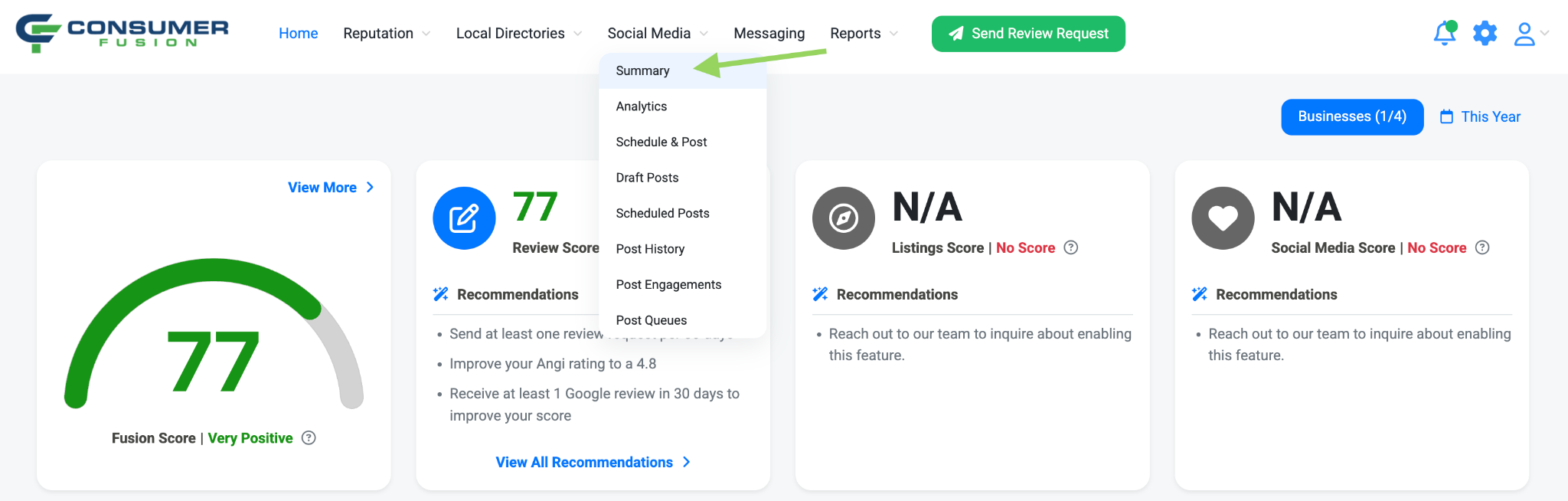
From the Consumer Fusion dashboard, navigate to the Social Media tab, and select Summary.
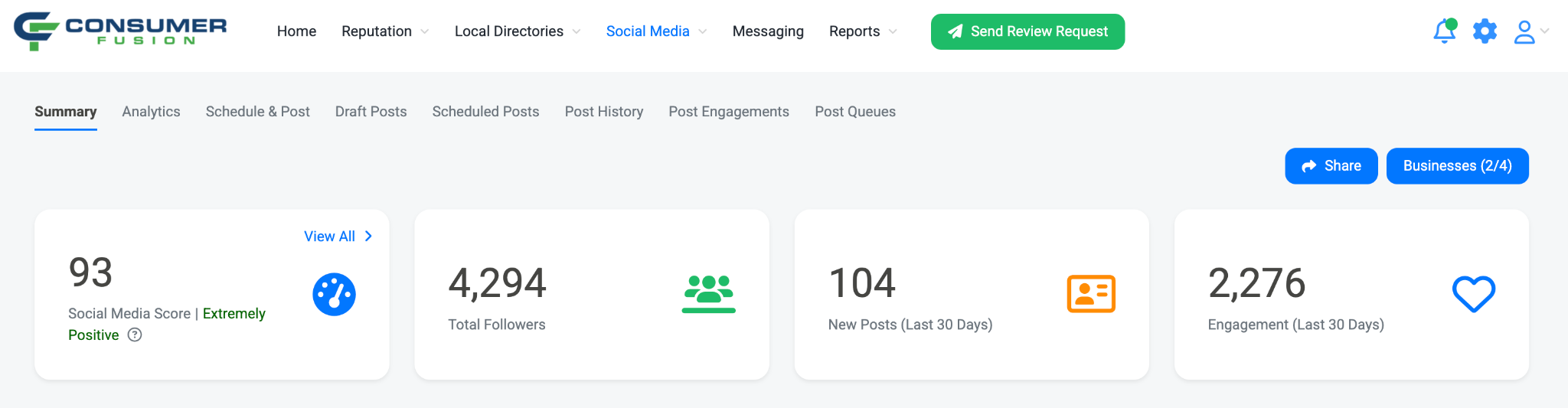
On the Summay page, you will see your Social Media score listed as the first metric on the page. By clicking View All, you can get more details and recommendations about the Social Media score for your businesses.
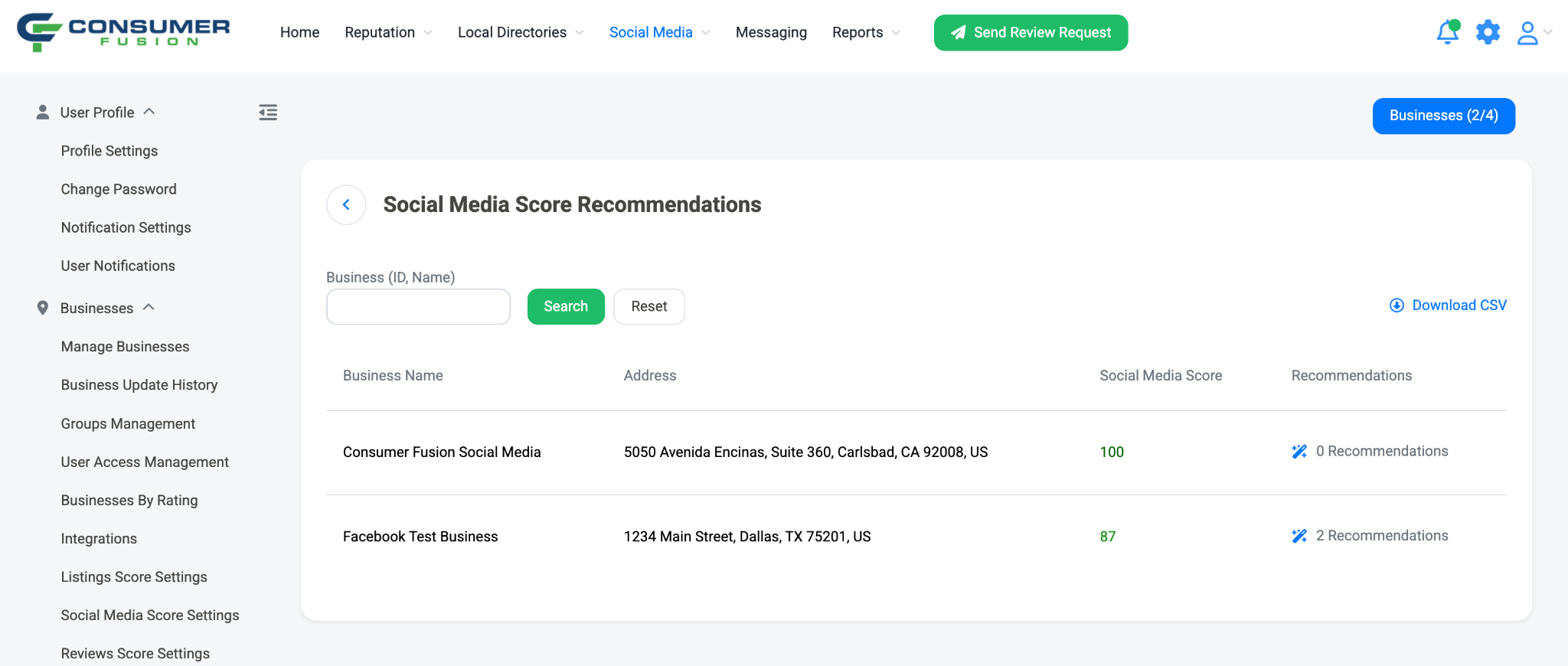
Clicking View All will bring you to the Social Media Score Recommendations page. Here, you can see the Social Media Score for each business that you have access to in your account, as well as the number of recommendations each business has to improve the Social Media score.
Clicking Recommendations will pull up a side panel, listing the various recommended actions that can be taken for your connected social media networks to improve the Social Media Score of your businesses.
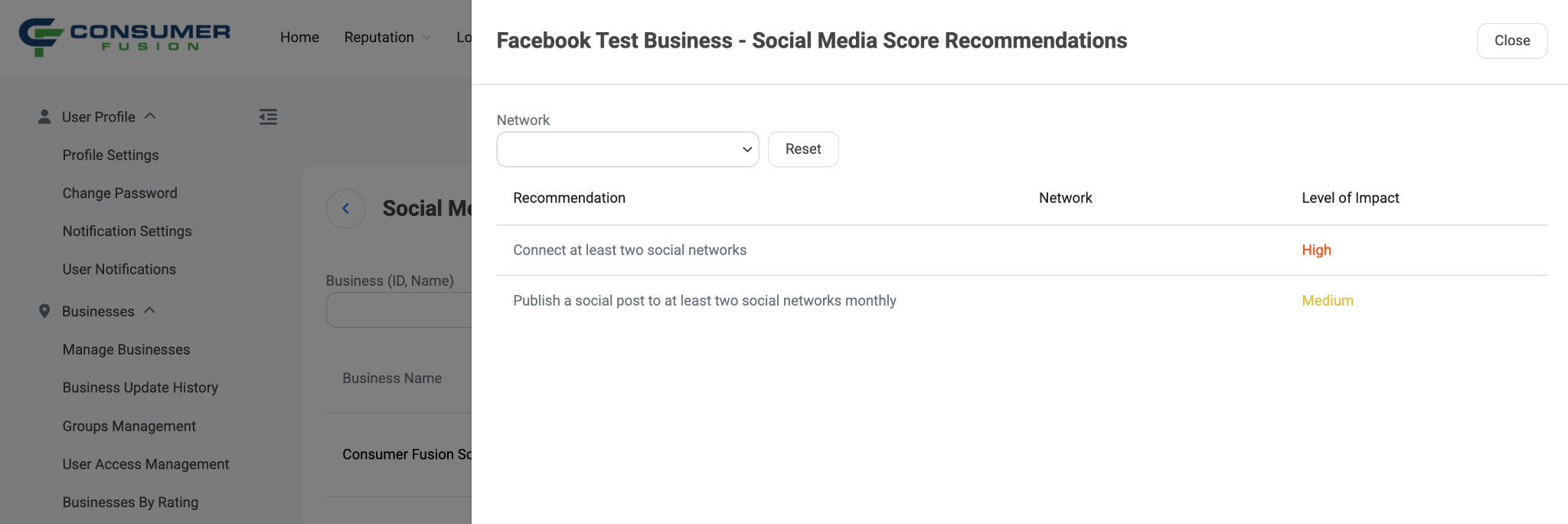
By completing these recommendations, you can improve your Social Media Score while building a stronger, more engaging social media presence. Regularly posting content, growing your audience, and staying active across your connected social networks will help you maximize your score over time.
Social Media Score Factors
Number of social networks connected
Follower count
Number of posts in the last 30 days
Number of social networks with a published post over the last 30 days
Reach Efficiency - the percentage of your followers that your posts reach